Drag & Drop Your Image Here
or
Original Size
-
-
Resized Size
-
-
P7 Image Resizer – Simple Image Resizer Online
Resize your images quickly and easily with our P7 Image Resizer. Upload a photo, choose your preferred dimensions, adjust the quality, preview the result, and download your resized image.
Why Choose Our Image Resizer?
Our simple image resizer is designed to make resizing quick and easy without complicated image editing software.
Easy to Use
Simple controls make resizing quick and easy.
Quality Control
Adjust quality to balance clarity and file size.
Flexible Sizes
Resize by pixels, percentage, inches, or CM.
Quick Download
Preview your result and download it easily.
How to Use the P7 Image Resizer
Resize your image in just a few simple steps.
Upload
Upload your JPG, JPEG, or PNG image by clicking Browse Files or using drag and drop.
Choose Size
Select Pixels, Percentage, Inches, or Centimeters according to your requirement.
Adjust
Set dimensions, quality, DPI, format, or target file size in KB or MB.
Preview
Click Update Preview and check the new dimensions and file size.
Download
When everything looks right, click Download Resized Image.
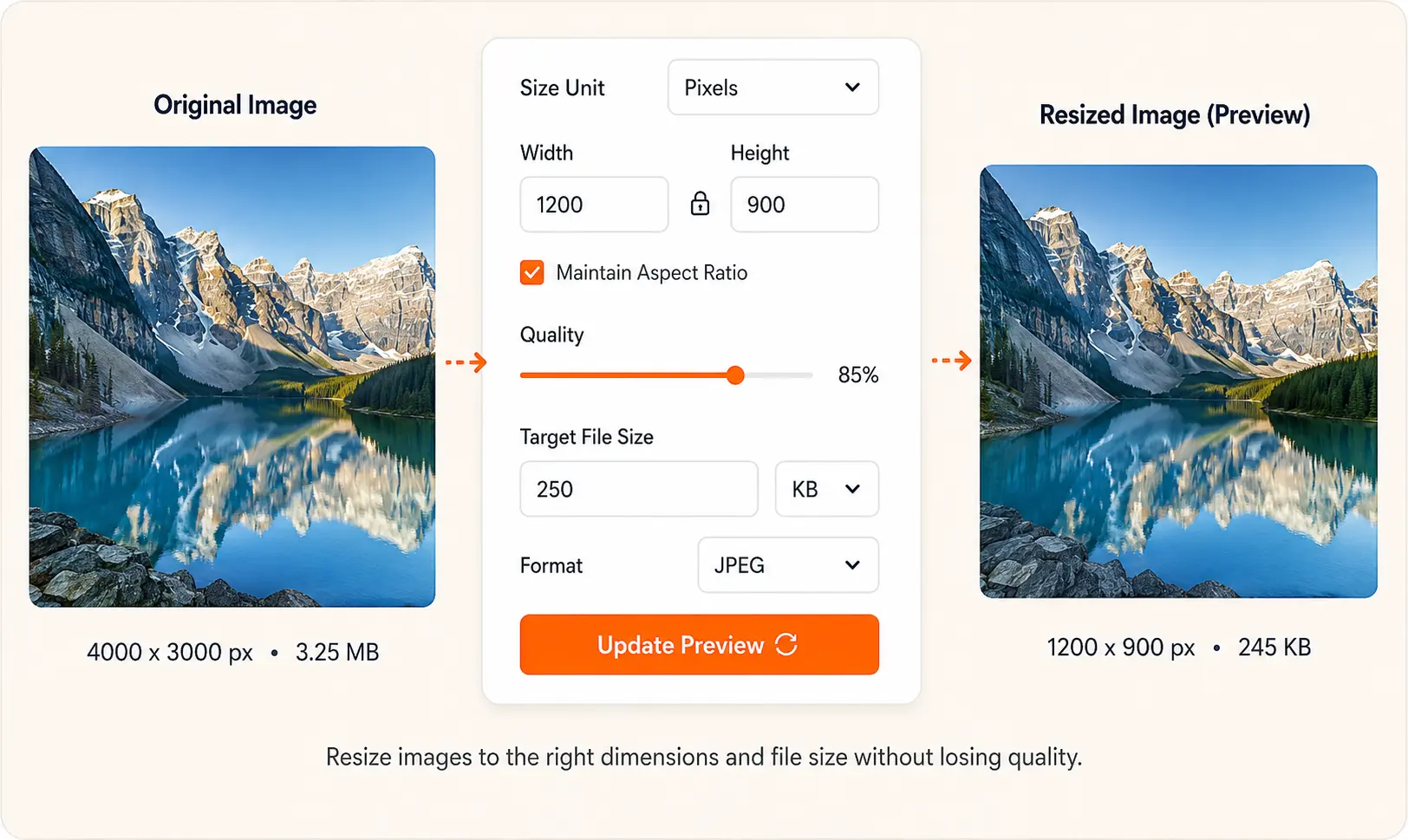
See how an original image can be resized to the required dimensions and file size.
Resize Images With the Right Quality
You can adjust image quality, DPI, format, dimensions, and target file size before downloading your resized image. This makes it easier to prepare photos for websites, online forms, email, social media, and printing.
Frequently Asked Questions
What is a P7 Image Resizer?
P7 Image Resizer is an online tool for changing image dimensions, adjusting quality, and reducing image file size.
How do I resize an image online?
Upload your image, choose the required size, adjust the settings, preview the result, and download the resized image.
Can I resize an image to a specific KB or MB?
Yes. Use the Target File Size option and select KB or MB.
Can I resize an image by percentage?
Yes. Select Percentage as the size unit and enter the desired percentage.
Can I adjust image quality?
Yes. You can adjust JPEG quality before downloading the resized image.
Conclusion
Whether you need to resize a photo for a website, online form, email, social media, or printing, the P7 Image Resizer provides a simple way to get the image size you need.
Upload your image, choose your settings, preview the result, and download your resized image in just a few clicks.