Drag & Drop Your PDF Here
or
Adobe Acrobat Online PDF Compressor
Need to reduce the size of a PDF before uploading or sharing it? This PDF compressor lets you upload a PDF, choose a target size, compress the file, and download the result in a few simple steps.
How Does the PDF Compressor Work?
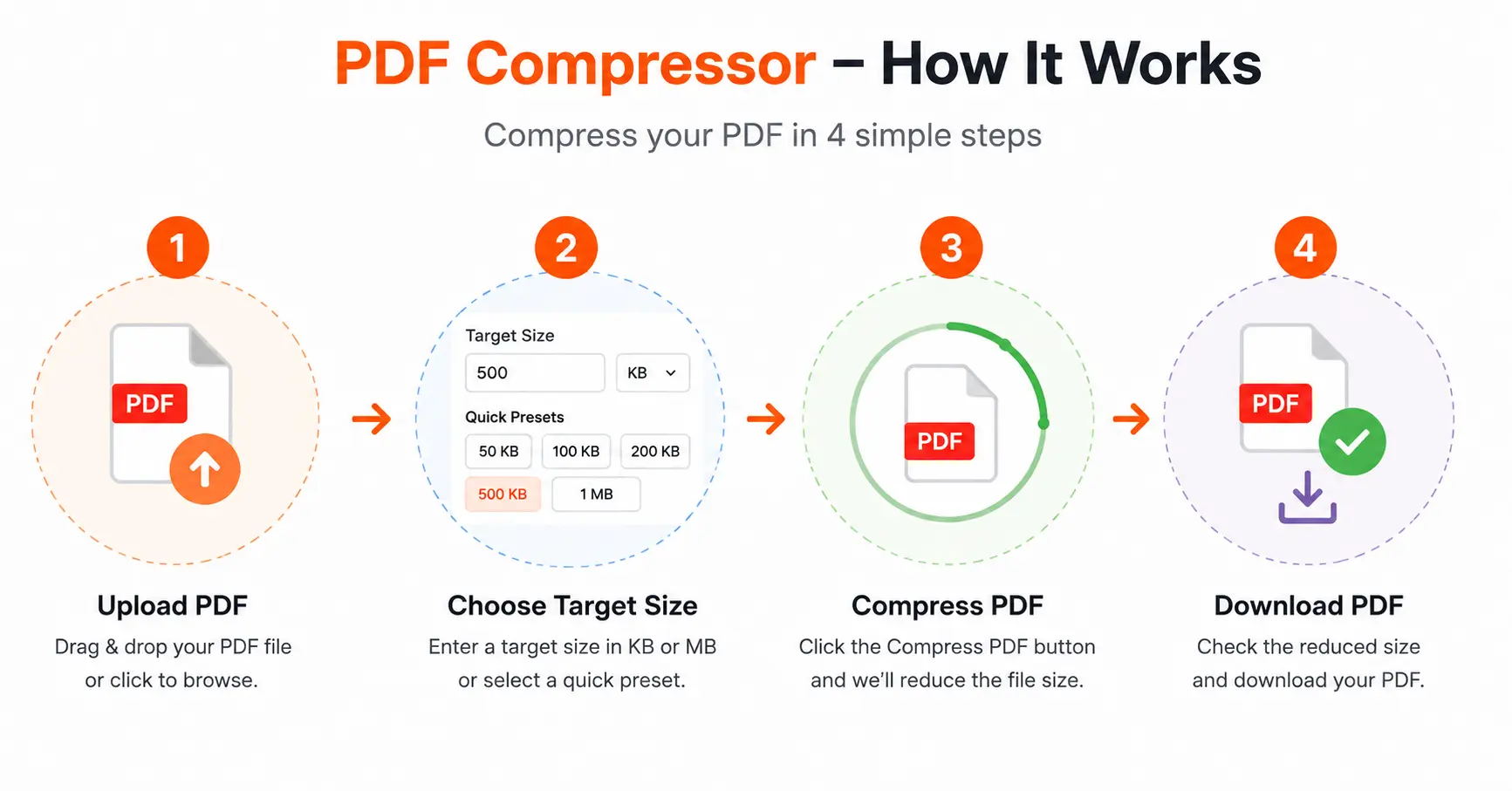
The process is simple and does not require complicated settings. Here is how the Adobe Acrobat Online PDF Compressor workflow works:
Upload Your PDF
Click Browse Files or drag and drop your PDF into the upload area. The tool accepts PDF files up to 10 MB.
Choose a Target Size
Enter the size you need in KB or MB, or select a quick preset such as 50 KB, 100 KB, 200 KB, 500 KB, or 1 MB.
Compress the PDF
Click Compress PDF. The tool processes the document and creates a smaller PDF based on your selected target.
Check and Download
After compression, you can see the original size, compressed size, and percentage reduction before downloading the file.
Choose the Right PDF Size
The compressor provides quick target-size options for common upload requirements. You can also enter your own target size when you need more control.
Does PDF Compression Affect Quality?
It can. Reducing a PDF to a very small target size may affect the appearance of images, scanned pages, or other visual content. For better readability, choose a target size that is appropriate for your document rather than always selecting the smallest option.
Adobe PDF Compressor Alternative
If you are searching for an adobe pdf compressor, the main goal is usually to make a large PDF easier to upload, email, share, or store. This online compressor follows a simple workflow without requiring you to install desktop software.
Frequently Asked Questions
What is an Adobe Acrobat Online PDF Compressor?
An Adobe Acrobat Online PDF Compressor is an online solution for reducing PDF file size. The basic process involves uploading a PDF, choosing a suitable compression target, and downloading the smaller file.
How do I compress a PDF online?
Upload your PDF, choose a target size or quick preset, and click Compress PDF. Once processing is finished, review the new size and download the compressed PDF.
Can I compress a PDF to a specific size?
Yes. You can enter a target size in KB or MB. Quick presets are also available for commonly used file sizes.
What is an adobe pdf compressor used for?
A PDF compressor is useful when a PDF is too large for an online application, email attachment, website upload, or convenient storage.
Will compressing a PDF reduce its quality?
Very aggressive compression can affect images and scanned pages. Selecting a reasonable target size can provide a better balance between file size and readability.
Can I see how much the PDF was reduced?
Yes. After compression, the result section shows the original file size, compressed file size, and the percentage of size reduction.
Can I download the compressed PDF?
Yes. After the compression process is complete, you can download the resulting PDF using the Download button.
Conclusion
Compressing a PDF is useful when you need a smaller file for uploading, sharing, emailing, or storage. Simply upload your PDF, select the target size, compress it, check the result, and download the smaller file.