P7 Image Compressor – Simple Image Compressor Online
If your images are too large to upload, the P7 Image Compressor makes it easy to reduce their file size online. You can compress image files quickly without using complicated image editing software.
Upload one or multiple images, choose your target size in KB or MB, select the output format, and start compressing. You can also set a maximum image dimension when you want to reduce the image size along with the file size.
Why Choose P7 Image Compressor?
The Image Compressor is useful when you need smaller image files for websites, online forms, email, social media, or other platforms with file-size limits.
- Compress multiple images at the same time
- Set a target file size in KB or MB
- Choose JPEG, WEBP, or PNG output
- Reduce image dimensions when needed
- Preview the compressed image before downloading
- Download individual images or all processed files
How to Compress an Image Online
You can compress your image in just a few simple steps. No complicated editing software is required.
Upload Your Image
Click Browse Files or drag and drop your images into the upload area. You can select multiple images if you want to process them together.
Choose the Target Size
Enter the file size you need and select KB or MB from the unit option.
Select the Output Format
Choose JPEG, WEBP, or PNG depending on how you want to use the compressed image.
Set Maximum Dimensions
If required, enter a maximum dimension in pixels to reduce the image dimensions as well.
Compress and Download
Click Compress / Resize, check the result, and download your compressed image.
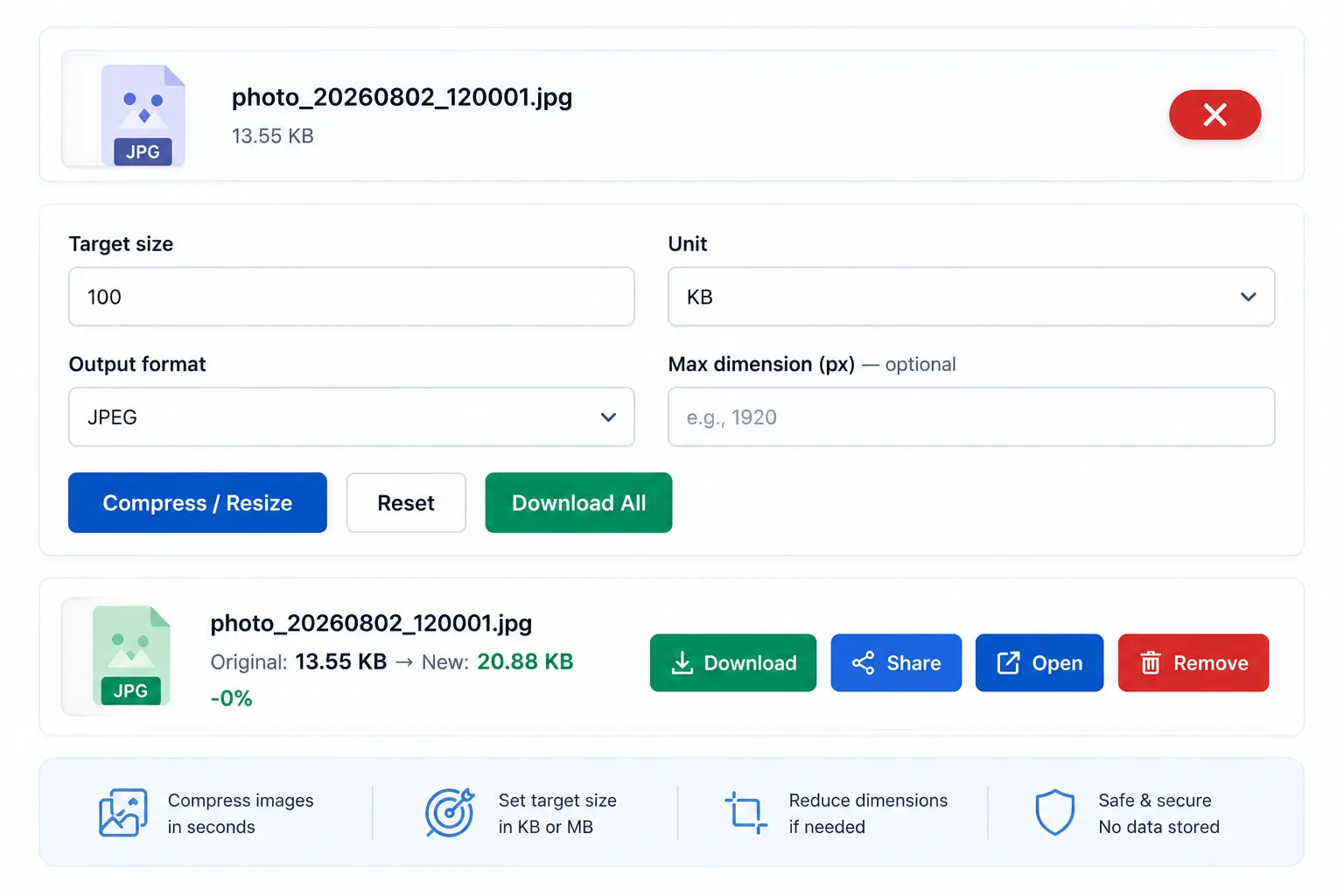
Compress your image, reduce the file size, and download the optimized result.
Image Compression Options
When Should You Compress an Image?
Large image files can take longer to upload and may use more storage space. Compressing images can be useful when preparing photos for websites, online forms, email, social media, documents, and platforms with file-size limits.
If a website or application requires a specific file size, you can use the target size option to work toward the required KB or MB limit.
Image Quality and File Size
Image compression is about finding a practical balance between file size and image quality. A smaller file can be easier to upload and share, while a larger file may preserve more detail. Choose the target size and output format according to your needs.
Frequently Asked Questions
What is P7 Image Compressor?
P7 Image Compressor is an online tool that helps reduce image file size. You can upload images, choose a target size, select an output format, and download the compressed files.
How can I compress image files online?
Upload your image, enter the desired target size, choose the output format, and click Compress / Resize. After processing, you can download the compressed image.
Can I compress an image to a specific KB size?
Yes. Enter your desired file size and select KB as the target unit before compressing the image.
Can I compress images to MB?
Yes. Select MB as the target unit and enter the file size you want.
Can I compress multiple images at once?
Yes. You can upload multiple image files and process them together.
Which formats can I choose?
The tool provides JPEG, WEBP, and PNG output options.
Can I reduce image dimensions too?
Yes. You can optionally enter a maximum dimension in pixels before starting the compression process.
Conclusion
P7 Image Compressor provides a simple way to reduce image file size online. You can upload one or multiple images, choose a target size in KB or MB, select an output format, and optionally reduce image dimensions.
Whether you need to compress image files for a website, online form, email, or social media, the tool gives you a quick and convenient way to prepare smaller image files.