Image Flipper Online – Flip Images Horizontally & Vertically
Looking for a simple Image Flipper Online? Our online tool lets you flip images horizontally or vertically in just a few clicks. Upload your image, choose the required flip direction, preview the result and download your flipped image easily.
Free Image Flipper Online
The Image Flipper Online is a simple browser-based tool for changing the orientation of your pictures. You can flip an image from left to right or from top to bottom without using complicated photo editing software.
The tool supports PNG, JPG and JPEG images and accepts files up to 100 MB. You can upload an image by browsing your device or dragging and dropping it into the upload area.
How Does Image Flipper Online Work?
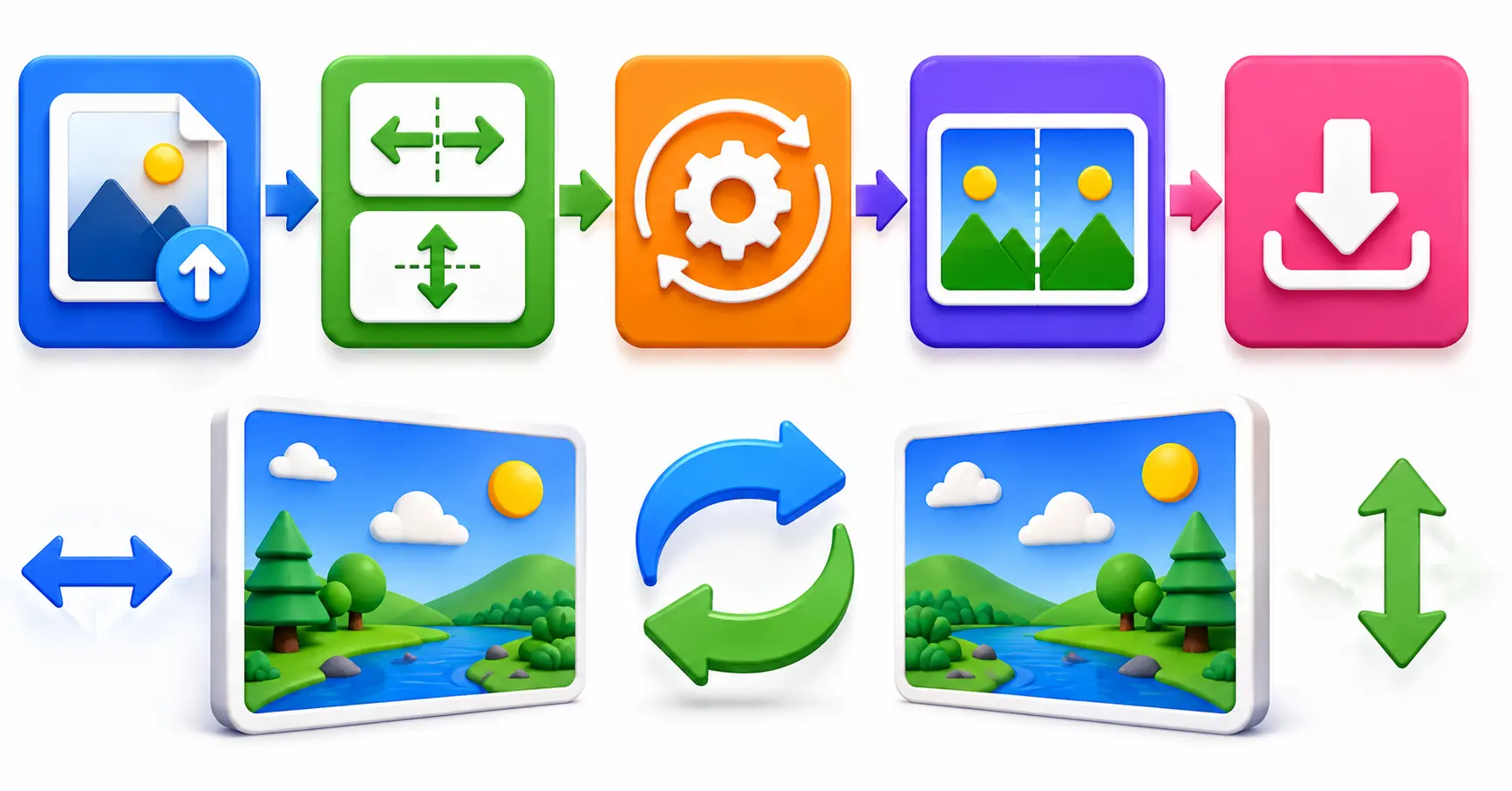
The Image Flipper Online changes the orientation of an uploaded image by applying horizontal or vertical transformation. Horizontal flipping reverses the left and right sides, while vertical flipping reverses the top and bottom of the image.
- Upload your image using Browse Files.
- You can also drag and drop an image into the upload area.
- Check the original image preview.
- Choose Flip H for a left-right image flip.
- Choose Flip V for an up-down image flip.
- Use Apply Flips when your desired direction is selected.
- Preview the flipped image.
- Click Download to save the result.
Image Flip Horizontally Online
The horizontal Image Flip option reverses the image from left to right. It can be useful when you want to create a mirror-style version of a photo, graphic or other picture.
After uploading your image, select Flip H to reverse the horizontal direction. The flipped version appears in the preview area so you can compare it with the original image.
Image Flip Vertically Online
The vertical Image Flip option reverses the image from top to bottom. This can be useful when you need an upside-down version of a picture or want to create a different visual effect.
Simply select Flip V after uploading your image. The tool will show the updated result in the flipped preview section.
Image Flip Tool for Mirror Images
If you need a mirror image, the horizontal flip option can quickly reverse the left and right sides of your picture. This is useful for photographs, graphics, designs and creative projects.
The original and flipped previews make it easy to check the image before you save it. You can also change the flip direction if the first result is not what you need.
Flip Images in Both Directions
The Image Flipper Online allows you to use horizontal and vertical flipping together. This means you can reverse an image from left to right, top to bottom or apply both transformations.
Using both options can create a completely reversed version of the original image. You can preview the result before downloading it.
Why Choose Our Image Flipper Online?
Our Image Flipper Online focuses on making image flipping quick and straightforward. It provides separate controls for horizontal and vertical image flip along with original and flipped previews.
- Easy Upload: Browse or drag and drop your image.
- Horizontal Image Flip: Reverse images from left to right.
- Vertical Image Flip: Reverse images from top to bottom.
- Original Preview: View the uploaded image before editing.
- Flipped Preview: Check the result before downloading.
- Apply Flips: Apply the selected flip settings.
- Reset Option: Remove the selected flip changes.
- Download: Save the flipped image to your device.
- Mobile Friendly: Use the tool from a mobile browser.
Original and Flipped Image Preview
After uploading an image, the Image Flipper Online displays the original image and the flipped version separately. This makes it easier to compare both versions before saving your result.
You can change between horizontal and vertical flip options and check the updated preview whenever you want.
Reset Image Flip Changes
If you are not satisfied with the selected Image Flip, you can use the Reset button. This removes the selected flip settings and returns the image to its original orientation.
Reset is useful when you want to try another direction or start the image flipping process again.
Download Flipped Image Online
Once you are satisfied with the result, click the Download button to save the flipped image. You can first preview the result and then download the version with your selected orientation.
Whether you use horizontal flip, vertical flip or both, the tool provides a simple way to save your final image.
Image Flipper Online for Mobile
You can use the Image Flipper Online directly from a mobile browser. Select an image from your phone, choose the desired image flip option and preview the result on your screen.
The responsive interface adapts to smaller screens, making it easy to upload, flip, preview and download images from mobile devices.
Who Can Use an Image Flipper Online?
An Image Flipper Online can be useful for students, designers, photographers, bloggers, social media creators and everyday users who need to change the orientation of a picture.
- Create mirror versions of photos.
- Reverse images from left to right.
- Flip images from top to bottom.
- Create reversed versions for creative projects.
- Change image orientation without complex editing software.
Supported Image Formats
The upload interface supports common image formats including PNG, JPG and JPEG. You can select an image from your device or drag and drop it into the upload area.
The maximum supported file size is 100 MB, making the tool suitable for many regular photos and graphics.
Frequently Asked Questions
An Image Flipper Online is a browser-based tool that lets you reverse an image horizontally or vertically and download the flipped result.
Upload your image, choose Flip H or Flip V, apply the change and preview the result. You can then download the flipped image.
A horizontal image flip reverses the left and right sides of an image, creating a mirror-style orientation.
A vertical image flip reverses the top and bottom of an image.
Yes. You can select both horizontal and vertical flip options to reverse the image in both directions.
The tool supports PNG, JPG and JPEG image files.
The maximum supported image file size is 100 MB.
Yes. The tool displays both the original and flipped versions so you can check the result before downloading.
Yes. Click the Reset button to remove the selected flip settings and return the image to its original orientation.
Yes. The responsive interface can be used through a mobile browser on supported devices.
Flip Images Online Easily
Use the Image Flipper Online above to change the orientation of your images quickly. Upload your picture, select the required Image Flip direction, preview the result and download the finished image.
Conclusion
The Image Flipper Online provides a quick and simple way to flip images horizontally or vertically. You can upload your picture, select the desired image flip direction, preview the result and download the finished version.
Whether you need a mirror image, an upside-down picture or a combination of horizontal and vertical flipping, this online tool makes the process easy directly from your browser.