PDF to JPG Adobe – Convert PDF to JPG Online
Looking for a PDF to JPG Adobe solution to convert your PDF pages into image files? Our online PDF to JPG Converter provides a simple way to turn PDF pages into individual JPG images. Upload your PDF, convert the pages and download the JPG files in just a few clicks.
Free PDF to JPG Converter
This PDF to JPG Converter is useful when you need to convert PDF pages into separate JPG images. Instead of saving or converting each page manually, you can upload the complete PDF and let the tool process every page automatically.
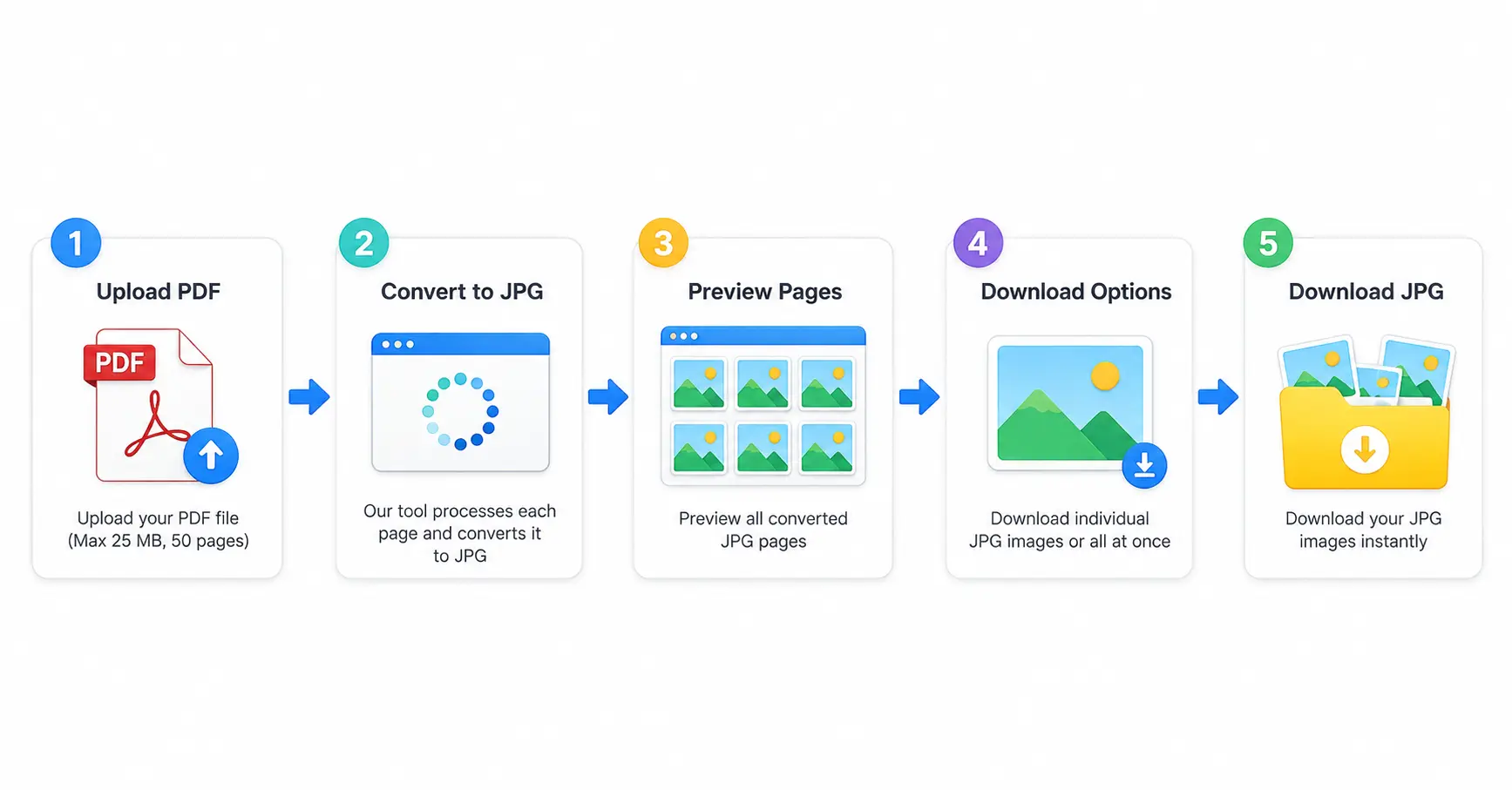
The converter accepts PDF files up to 25 MB and supports documents containing up to 50 pages. Each page is rendered as a separate JPG image for easy preview and download.
How Does PDF to JPG Adobe Conversion Work?
The PDF-to-JPG conversion process turns each page of a PDF document into an individual JPG image. After uploading your PDF, the converter processes the pages one by one and displays the converted images for preview.
- Click Browse Files or drag and drop your PDF.
- Check the uploaded PDF file name and size.
- Click Convert to JPG.
- The converter processes the PDF pages.
- Each page appears as a separate JPG preview.
- Download individual images or use Download All.
PDF to JPG Adobe Alternative Online
If you searched for PDF to JPG Adobe because you want to convert a PDF into JPG images, an online converter can be a convenient alternative when you only need basic PDF-to-image conversion.
You can upload your PDF directly in the browser, convert its pages and download the resulting JPG files without installing a separate desktop conversion application. This tool is focused specifically on converting PDF pages into JPG images.
Convert PDF Pages to JPG Images
A PDF may contain one page or many pages, while you may need those pages as individual image files. With this PDF to JPG online converter, every page is converted separately and displayed as a JPG preview.
You can download a specific page when you only need one image, or use the Download All option when you want all converted JPG pages.
Why Choose Our PDF to JPG Converter?
Our PDF to JPG Converter is designed to keep PDF-to-image conversion simple. It provides the essential options needed to upload a PDF, convert its pages, preview the results and download the JPG files.
- Easy to Use: Upload your PDF and start conversion with a few clicks.
- Page-by-Page Conversion: Every PDF page becomes a separate JPG image.
- Quick Processing: PDF pages are processed directly in the browser.
- Preview Results: View the converted JPG pages before downloading.
- Individual Download: Download only the page you need.
- Download All: Download all converted JPG images.
- Drag & Drop: Upload your PDF easily by dragging it into the upload area.
PDF to JPG Online Without Software
You can use this PDF to JPG online converter directly from your browser. There is no need to install a separate PDF conversion program for the basic conversion process.
Simply select your PDF file, start the conversion and download the JPG images after processing. The responsive interface also makes the tool convenient to use on mobile devices.
Download JPG Images from PDF
After conversion, every PDF page is displayed separately. If you need only one particular page, you can download that JPG individually instead of downloading every converted page.
When you need all pages, simply use the Download All button to download the generated JPG images.
Who Can Use a PDF to JPG Converter?
A PDF-to-JPG converter can be useful for students, professionals, designers, bloggers and everyday users who need image files from PDF documents.
- Convert PDF documents into JPG images.
- Create separate image files from PDF pages.
- Download individual PDF pages as JPG.
- Preview converted images before downloading.
- Download multiple converted pages together.
How to Use PDF to JPG Converter on Mobile
You can also use the PDF to JPG Converter on a mobile browser. Open the tool, select your PDF file, tap the convert option and wait for the pages to be processed.
Once the conversion is complete, you can preview the JPG pages and download individual images or all available JPG files.
Frequently Asked Questions
PDF to JPG Adobe refers to searching for a way to convert PDF documents into JPG images using an Adobe-related solution. If you only need PDF-to-JPG conversion, an online converter can provide a simple alternative.
Upload your PDF, click Convert to JPG and wait for the conversion to finish. You can then preview and download the converted JPG images.
Yes. The converter processes the PDF page by page and creates a separate JPG image for each page.
Yes. If you only need to convert PDF pages into JPG images, this online PDF to JPG converter can be used as a simple alternative for basic conversion.
The converter accepts PDF files up to 25 MB.
The converter supports PDF documents containing up to 50 pages.
Yes. Every converted page has its own download option, so you can save only the JPG image you need.
Yes. After conversion, use the Download All option to download all generated JPG images.
Convert PDF to JPG Online
Use the PDF to JPG Converter above to convert PDF pages into JPG images quickly and easily. Upload your document, convert the pages, preview the results and download the JPG files you need.
Conclusion
A PDF to JPG Converter provides an easy way to turn PDF pages into individual JPG images. You can upload your document, process each page, preview the results and download the images individually or all together.
If you searched for PDF to JPG Adobe, this online converter offers a straightforward option for basic PDF-to-JPG conversion directly from your browser.